Chrome extension for Upwork freelancers
Only the Upwork jobs worth your time.
FeedTrim hides the jobs you would never apply to and badges the rest with the client’s rating, hire rate and total spent. It runs in your browser, and your rules stay in Chrome.
Get early access
Be first in. Leave your email and we’ll send your invite.
What FeedTrim does
Set a few rules once. FeedTrim applies them to every job card on the page, including the cards that load as you scroll.
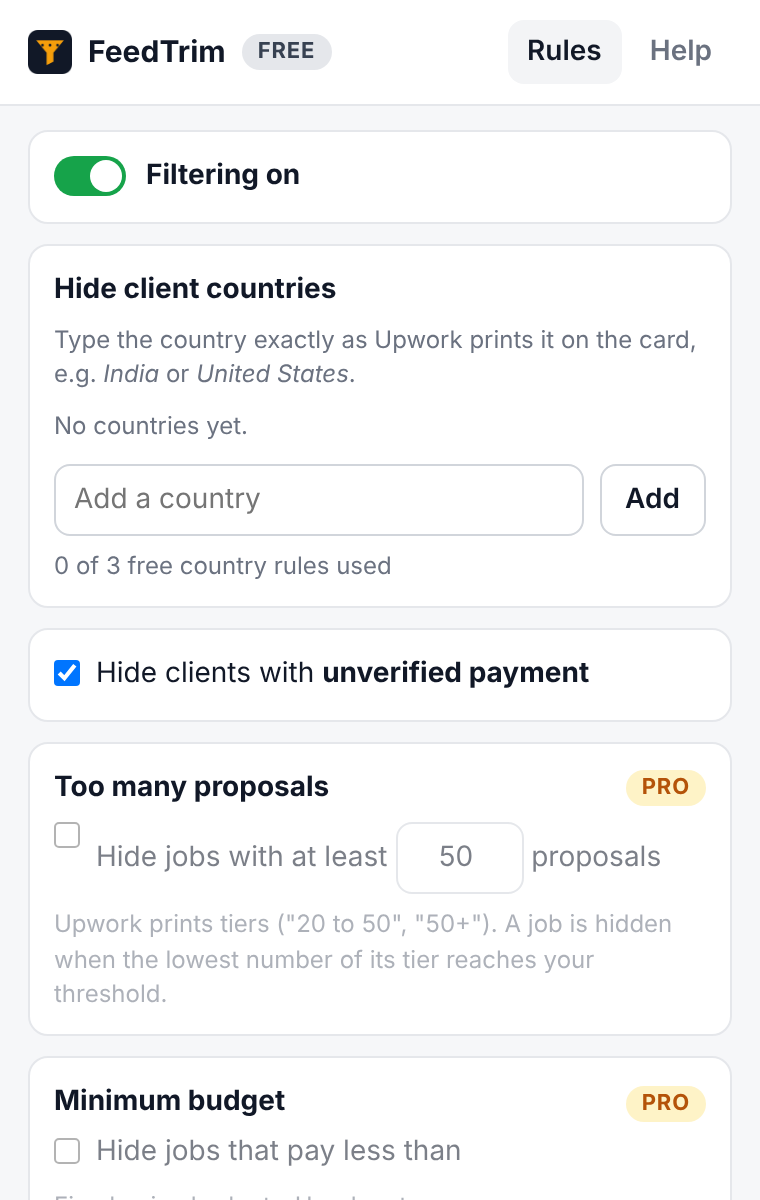
Hide client countries
Hide jobs from client countries you do not work with.
Skip unverified payment
Hide clients whose payment method is unverified.
Skip crowded jobs
Hide jobs that already have 50+ proposals. The threshold is yours to set.
Set a minimum budget
Hide jobs below your minimum fixed budget or hourly rate.
Block keywords
Hide jobs whose title or description contains words you never want to see.
See client quality
Badge the remaining cards with the client’s rating, hire rate and total spent, read straight from the card.
How it works
Add FeedTrim to Chrome
Install it from the Chrome Web Store. The free plan needs no account and no payment.
Set your rules
Open FeedTrim from the Chrome toolbar and choose what to hide: client countries and unverified payment, plus proposals, budget and keywords on Pro.
Browse Upwork as usual
On your job feed (and on Pro, search and saved searches) FeedTrim hides the cards your rules reject and badges the rest.
Nothing is lost
A small “N hidden” pill counts what was hidden. Click Show to see those jobs again, dimmed and labeled with the reason.
See it
The settings screen is a real capture of the FeedTrim popup. The job cards are a drawing: grey bars stand in for the text Upwork shows.
Pricing
Prices at launch. The free plan has no time limit.
Free plan
Free
- Up to 3 client-country rules
- The “payment unverified” filter
- Rules run on your main job feed
- No time limit
FeedTrim Pro
$6/month
- Unlimited country rules
- Proposal count, budget and keyword filters
- Client quality badges
- Rules on search and saved-search pages too
- Cancel any time
FeedTrim Pro is an optional subscription, paid through ExtensionPay and Stripe from inside the extension. The free plan works without an account or payment.
Questions
Does FeedTrim send my data anywhere?
No. It reads the job cards already on your screen and keeps your rules in Chrome’s extension storage. It makes no network requests of its own. The only outside service is ExtensionPay, for the optional Pro plan. Details are in the privacy policy.
Does it apply to jobs or message clients for me?
No. It never clicks or submits anything on Upwork, never applies or bids, and does not scrape or export job data.
Which pages does it work on?
Upwork job lists: your job feed on the free plan, plus search and saved-search pages on Pro. It does nothing anywhere else.
Can a job be hidden by mistake?
A job is hidden only when the card shows what your rule looks at. A card without a printed budget, proposal count, country or payment status is left alone.
What happens when Upwork changes its pages?
If FeedTrim no longer recognizes the job cards, it stays quiet rather than break the page, and an update follows.